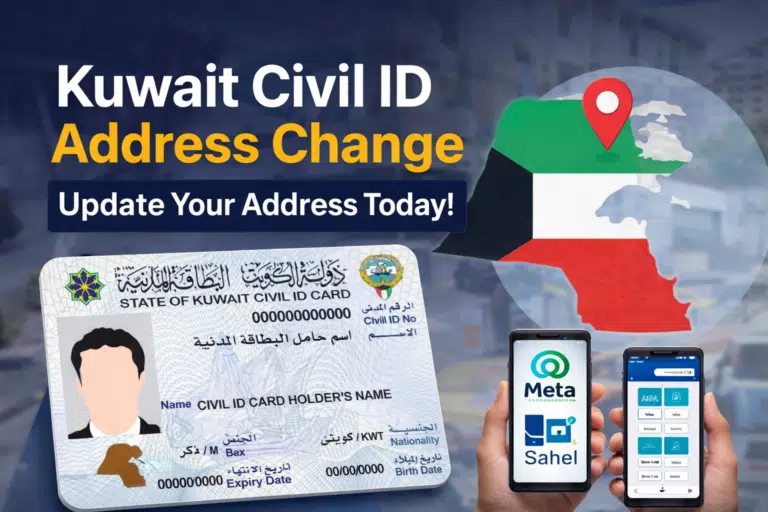
You can check your Kuwait Civil ID status online in minutes through the official PACI (Public Authority for Civil Information) website or the Kuwait Government Online portal. Enter your Civil ID or envelope number into the PACI Card Status service to see whether your card is ready, which machine printed it, and where you can collect it.
This guide covers the fastest, official ways to check your Kuwait Civil ID status online — no unofficial third-party sites required:
- Official PACI Website
- Government of Kuwait website
- By Phone Calling
- At a PACI Centre
Using these official channels keeps you informed, saves time, and helps you stay on top of your Civil ID status.
Using the PACI Website
This is the quickest and simplest method.
Step 1: Visit the Official PACI Website
Access the official website of the Public Authority of Civil Information.
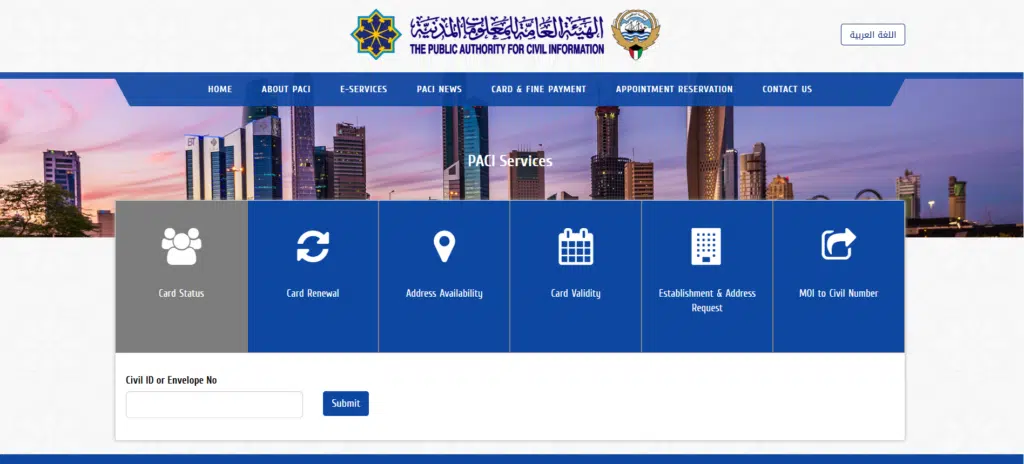
Step 2: Click on “Civil ID Status Inquiry”
Look for the “Civil ID Status Inquiry” section on the homepage.
Step 3: Enter Your Civil ID Number
Enter your Civil ID number carefully, without spaces.
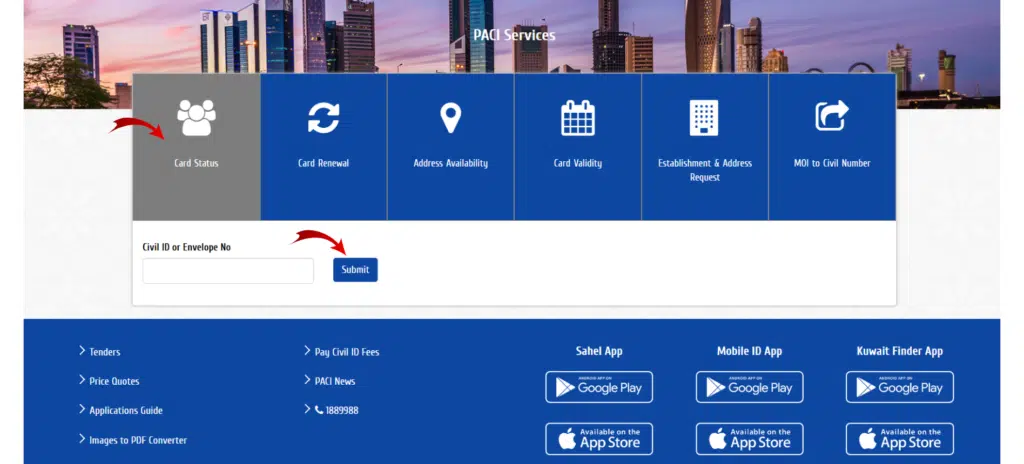
Step 4: Click Submit
Your Civil ID status appears immediately after you submit the form.
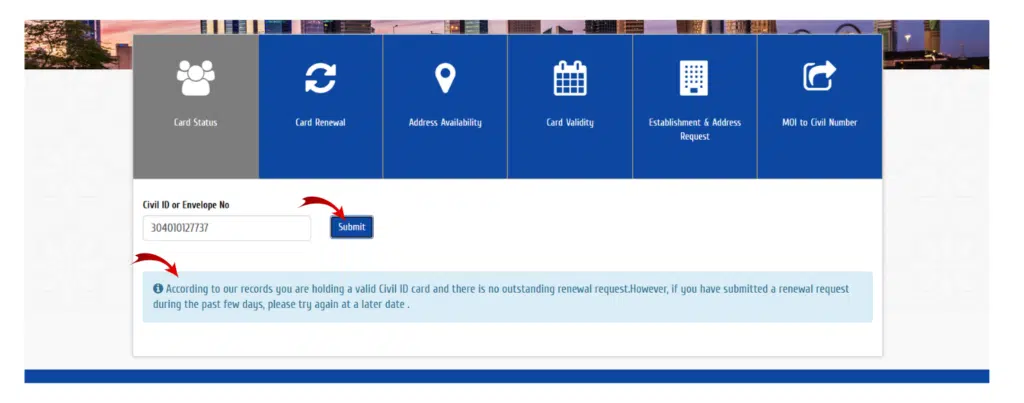
What You May See as Status
Here are common status messages and what they mean:
1. Under Process
Your application is still being processed. Wait a few working days.
2. Card Printed
Your Civil ID has been printed and is ready for collection or delivery.
3. Ready for Collection
Your Civil ID is prepared to be collected at the branch of PACI.
4. Invalid Civil ID
This may mean:
- Wrong number entered
- Application unregistered.
- Technical delay
Via Kuwait’s eGovernment E-Portal
Kuwait’s eGovernment portal brings many government services together in one place, including a secure way to check your Civil ID status.
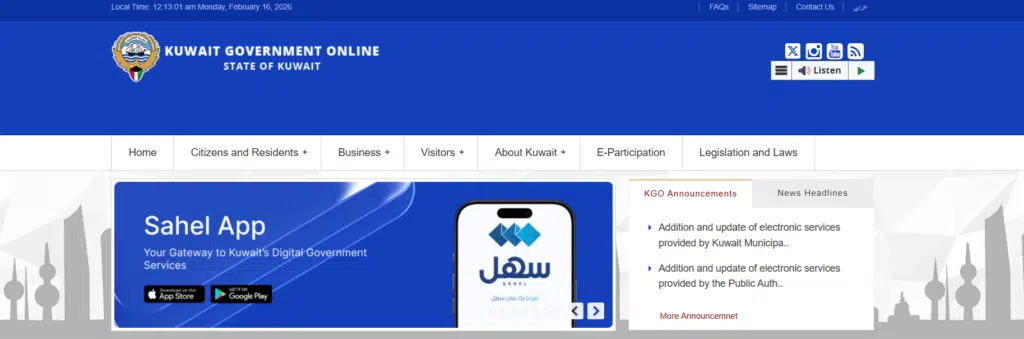
Step 1: Visit the Official eGovernment Website
- Visit Kuwait’s official eGovernment portal.
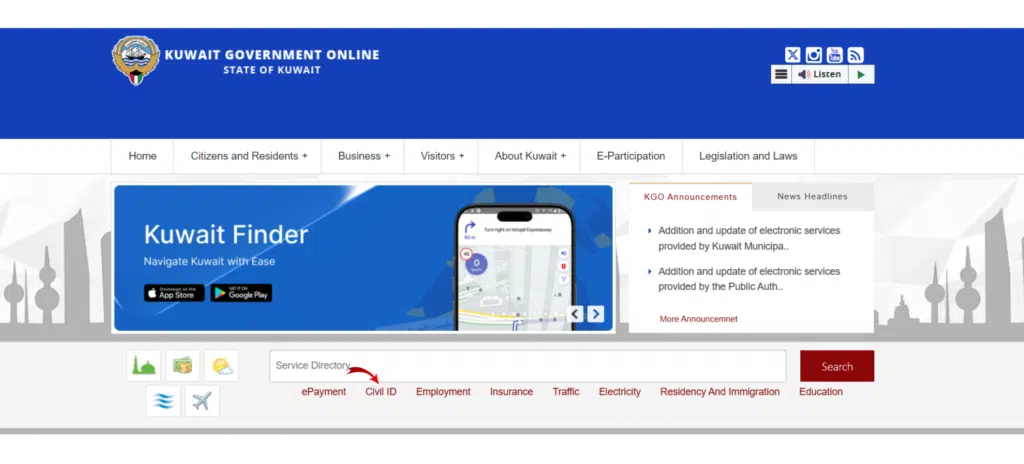
Step 2: Navigate to Civil ID Services
On the homepage, look under Government Services and select Civil ID Services.
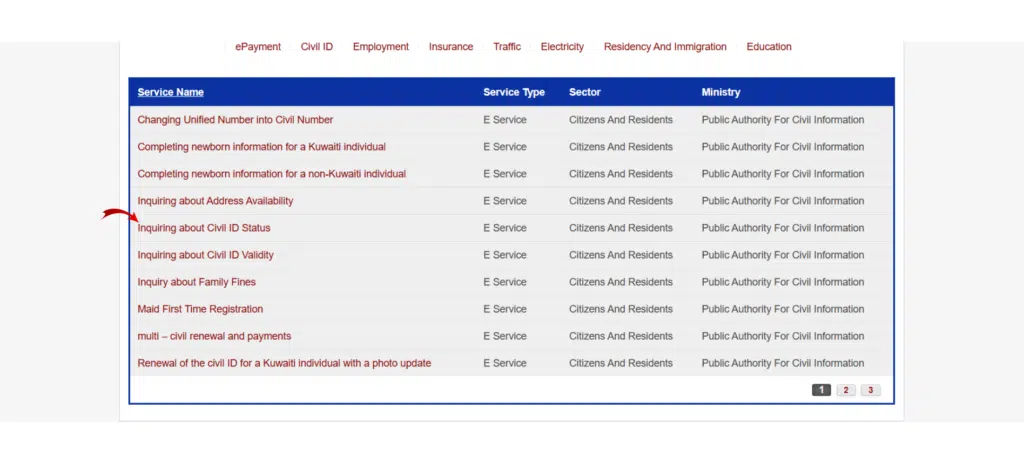
Step 3: Select Civil ID Status Inquiry
Click the Civil ID status or card inquiry option.
Step 4: Enter Your Civil ID Number
Enter your Civil ID number carefully, without spaces.
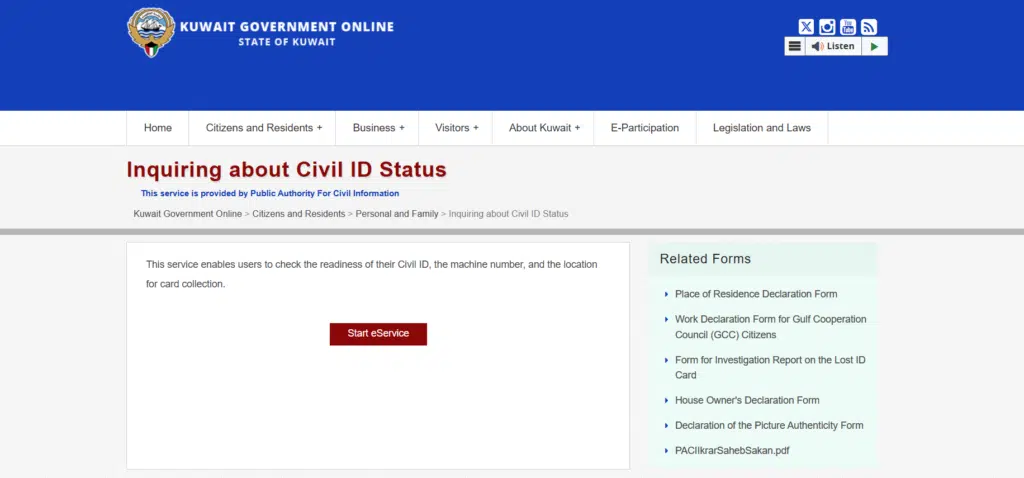
Step 5: Submit and View Status
Click Submit to view your current Civil ID status.
You may see updates such as:
- Under Process
- Card Printed
- Ready for Collection
When Should You Use the eGovernment Portal?
This method is helpful if:
- You like the platform of the central government.
- You want to access other services in the same session
- The standard PACI site is not functioning or is very slow.
Both the eGovernment portal and PACI provide accurate, official updates.
Check Kuwait Civil ID Status by Phone
If you can’t access the website, you can use PACI’s automated phone service instead.
Steps
- Call the PACI hotline (1889988).
- Select language (Arabic or English).
- Choose the Civil ID inquiry option.
- Enter your Civil ID number.
The system will announce your Civil ID status.

This option is useful when the website is down.
Using the MOI Kuwait App
Follow these simple steps:
Step 1: Download the MOI Kuwait App
Download the official MOI Kuwait App from:
- Google Play Store (Android)
- Apple App Store (iOS)
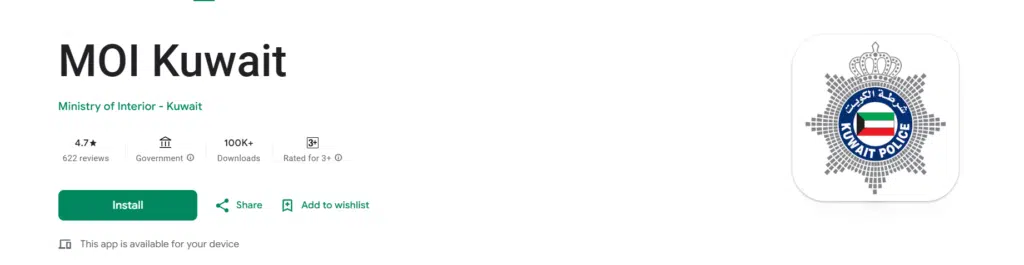
Make sure it is the official app issued by the Ministry of Interior, Kuwait.
Step 2: Open the App and Select e-Services
After installing, open the app and navigate to the e-Services section.
Step 3: Choose Civil ID or Residency Services
Look for Civil ID, residency status, or identity service options.
Step 4: Enter Your Civil ID Number
Enter your Civil ID number correctly and submit the request.
Step 5: View Your Civil ID Status
The app will show your current status, for example:
- Under Process
- Printed
- Ready for Collection
Why Use the MOI Kuwait App?
This method is helpful if:
- You can verify your civil ID status at any place and at any time.
- You like mobile applications over websites.
- You desire to have other residency or visa services in a single place.
The MOI Kuwait App is an official, secure alternative to the PACI website.
At a PACI Service Centre
To prevent delays, follow the steps:
Step 1: Locate the Nearest PACI Service Centre
Check the official PACI website to find the nearest branch and confirm working hours. Some branches may require appointments.
Step 2: Bring Required Documents
Before visiting, make sure to bring:
- Your original passport
- Residency copy (for expats)
- Civil ID receipt (if available)
- Any SMS confirmation that you obtained.
Having the right documents ready speeds up the process.
Step 3: Take a Queue Number
Collect a token from the queue at the service centre, and wait until your turn.
Step 4: Request Civil ID Status Inquiry
Ask the staff member to verify your Civil ID status, and provide your passport or Civil ID number if requested.
The officer will inspect the system and report to you that:
- Your Civil ID is still in process
- Your card is printed
- Civil ID is ready to be collected.
- Something is wrong with your application.
Step 5: Collect Your Civil ID
If your status shows Ready for Collection, you can usually collect your card at the same centre right away.

Kuwait Civil ID Status Check for Expats
As an expat in Kuwait, you’ll typically want to check your Civil ID status after:
- Getting a new residency
- Changing employer
- Renewing residency
- Replacing lost Civil ID
- Updating passport details
After a visa transfer, wait until your residency is activated before checking your status.
FAQs About Kuwait Civil ID Status Check
How can I check my Kuwait Civil ID status online?
Check on the official Public Authority for Civil Information (PACI) website by entering your Civil ID number. It’s free and available 24/7.
How do I know if my Civil ID is ready for collection?
If your status shows Card Printed or Ready for Collection, visit the PACI service centre with your passport and receipt to pick it up.
What is the time taken to obtain a Civil ID?
- New ID: 7–14 working days
- Renewal: 5–10 working days
- Replacement: not more than 14 working days.
Can I check my Civil ID status by phone?
Yes — call 1889988, choose your language, and enter your Civil ID number for an instant update.
Why is my Civil ID still in process?
Possible reasons are residency not updated, high application volume, technical delays, or incomplete documents.
Read Also: Kuwait Civil ID Address Change: Documents, Fees & Time
Final Thoughts
Your Civil ID is essential for residency, banking, and government services in Kuwait, so it’s worth checking its status regularly. Use the official PACI website, the MOI Kuwait app, the hotline, or a PACI service centre to stay up to date and avoid unnecessary delays.