Are you in search of the easiest method to find out your Zain balance in Kuwait? Then you have come to the proper place.
Whether you’re running low on credit, monitoring your internet usage, or managing your monthly mobile expenses, knowing how to check your Zain balance can save you both time and inconvenience. Fortunately, Zain Kuwait has several quick and convenient ways that enable its prepaid and postpaid users to get their account details in no more than a few seconds.
This guide will help you learn how to check the balance with the latest Zain balance check codes, send an SMS to check the balance, use the Zain app and website to check the balance, or call the customer service centre for assistance whenever required.
What is Zain?
Zain is one of the top-notified telecoms providers in the Middle East, providing mobile, Internet and digital telecommunications services across the region. Zain is a Kuwaiti company that offers a range of services including mobile top-up and account service, high-speed Internet packages, mobile packages (prepaid and postpaid), international telephone lines and more.
The app provides mobile access via its official website, where users can also effortlessly configure their account, examine the data that they still have, track their usage, enrol in packages and access customer support services.
Method 1: Zain Balance Check Using USSD Codes
One of the fastest and most convenient methods of checking your balance is via USSD codes.
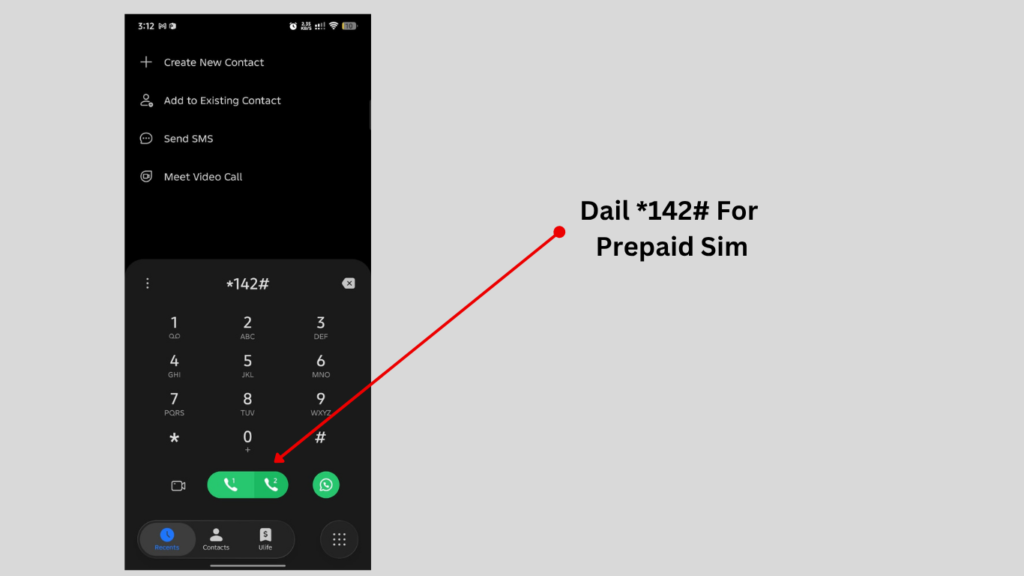
For Prepaid Users
Simply:
- Open your phone’s dial pad.
- Dial *142#.
- Press the call button.
- In a few seconds, there will be a screen displaying the remaining balance information.
This is suitable for users who want to see their user balance in the absence of an internet connection.
For Postpaid Data Users
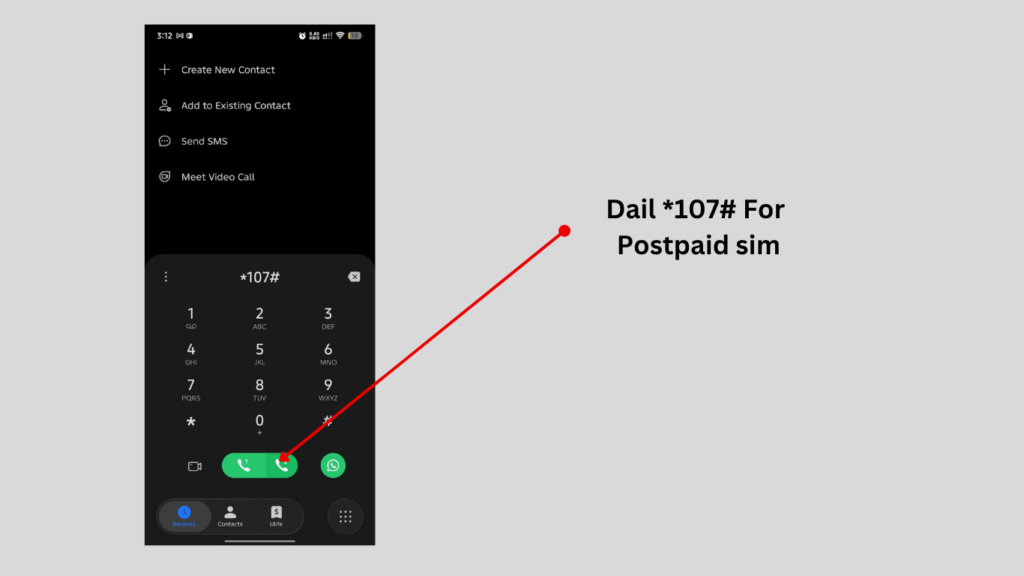
If you’re using postpaid data services:
- Open your phone’s dial pad.
- Dial *107#.
- Press the call button.
- Your data-related account information will be displayed.
USSD services are usually among the quickest methods because they don’t require downloading an application or logging into an online account.
Method 2: Check Zain Balance Through SMS
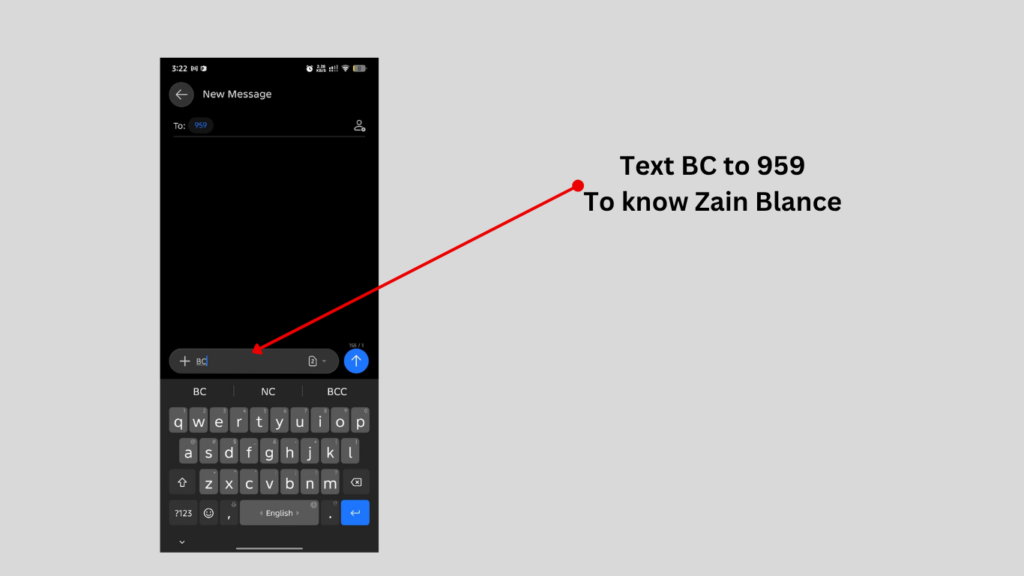
If you prefer using text messages, Zain also provides an SMS balance inquiry service.
How to Use the SMS Method
Follow these simple steps:
- Open your messaging application.
- Create a new message.
- Type:
BC
- Send the message to:
959
- Wait for the response message containing your account information.
Advantages of the SMS Method
- Easy to use.
- Works on almost all mobile devices.
- Useful when USSD services are temporarily unavailable.
- Easy to use for individuals who prefer to communicate via text messaging.
Before making use of SMS, ensure network coverage and adequate availability of service.
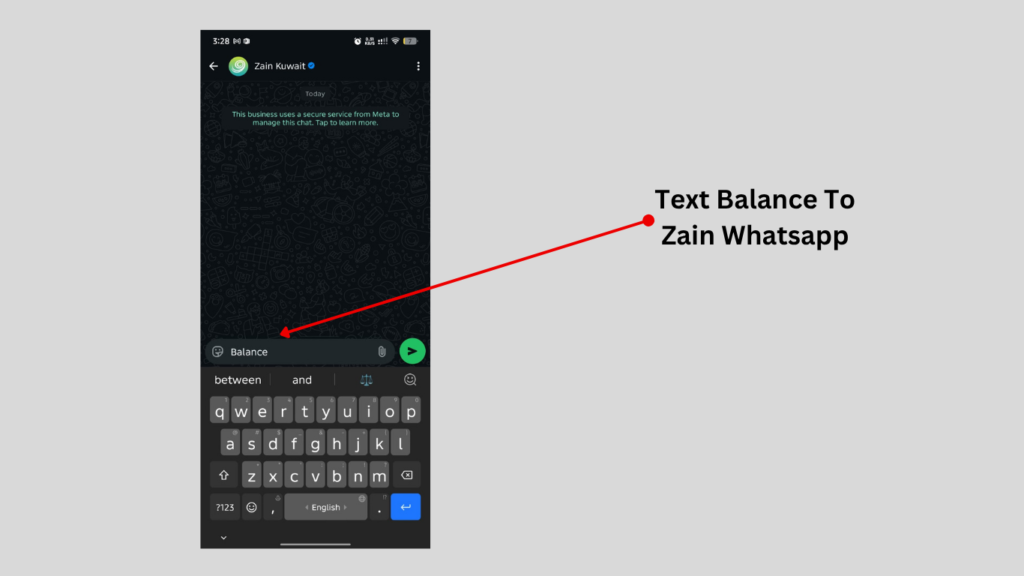
Method 3: Contact Zain Kuwait on WhatsApp
If you’re unable to check your balance using other methods, you can contact Zain Kuwait’s customer support team.
Zain Kuwait WhatsApp Number
+965-91107107
Customer support can help you with:
- Balance inquiries.
- Internet package information.
- Recharge-related questions.
- Billing issues.
- Technical problems.
- SIM-related assistance.
- Account management services.
Method 4: Check Your Balance Through the Zain Website
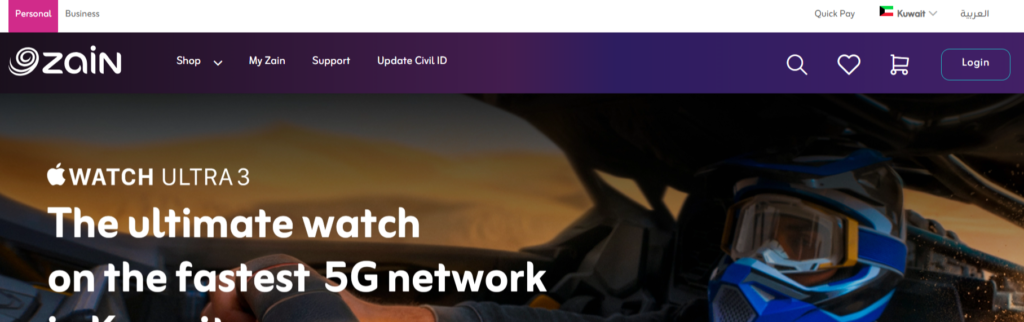
The official Zain Kuwait website provides convenient account management features that may allow customers to view their account information after signing in.
Using the website can help you:
- View account information.
- Manage your services.
- Explore available packages.
- Access customer support options.
- Recharge your account.
How to Use the Website
- Visit the official Zain Kuwait website.
- Sign in to your account if required.
- Navigate to your account dashboard.
- View your balance and service details.
The online portal provides a convenient option for users who regularly manage their mobile services digitally.
Read Also: Kuwait Independence Day 2027: Date, History & Facts
Method 5: Check Your Balance Using the Zain App
The Zain mobile application offers one of the most convenient ways to manage your account.

After signing in, users may access various account management features, including:
- Balance information.
- Package details.
- Recharge options.
- Internet usage monitoring.
- Service management.
- Account notifications.
Benefits of Using the Zain App
- User-friendly interface.
- Instant account access.
- Convenient balance monitoring.
- Manage packages easily.
- Recharge services.
- Track data usage efficiently.
The mobile application is particularly useful for users who frequently monitor their internet consumption and account activity.
Why Should You Check Your Zain Balance Regularly?
Many of the users are only checking their balance when experiencing service interruptions. But having a consistent usage plan for your account has some benefits.
It Helps You:
- Avoid running out of balance unexpectedly.
- Monitor daily internet usage.
- Plan your recharge schedule.
- Keep checking the expiration dates of packages.
- Improve mobile cost management.
It is especially critical to regularly review your account if you have a habit of using the data via a mobile device.
Common Problems and Their Solutions
The USSD Code Is Not Working
Possible reasons include:
- Network connectivity issues.
- Temporary service interruptions.
- Incorrect code entry.
- SIM-related problems.
Solutions
- Confirm you’ve entered the correct code.
- Restart your device.
- Try again after a few minutes.
- Contact customer support if the problem continues.
SMS Service Is Not Responding
This may happen due to:
- Poor network coverage.
- Temporary system issues.
- Messaging service delays.
Solutions
- Ensure you’ve entered “BC” correctly.
- Verify the recipient number is 959.
- Wait several minutes before retrying.
- Contact customer support if necessary.
Unable to Access the Mobile Application
Possible reasons include:
- Outdated application versions.
- Internet connectivity issues.
- Login problems.
Solutions
- Update the application.
- Check your internet connection.
- Verify your account credentials.
- Restart the application before trying again.
Website Login Problems
If you cannot log in to your account using the Internet:
- Verify your login credentials.
- Clear your browser cache.
- Try another browser.
- Contact customer support if required.
Is the Zain Balance Check Service Useful?
Absolutely. Balance inquiry services help customers maintain element knowledge of their account without the need for any inconvenience.
The benefits are some of the following:
- Time-saving.
- Better expense management.
- Improved service monitoring.
- Convenient package tracking.
- Easy access through multiple platforms.
Multiple options give the user the freedom to select the option that best option.
Frequently Asked Questions (FAQs)
What is the way to find Zain prepaid balance?
To track their prepaid phone minute balance, they can simply dial *142#.
How do I check my postpaid data information?
Postpaid customers can call *107# to get details about their account.
What is the SMS balance check method?
To use the SMS inquiry service, just send BC to 959; the service will reply with the result.
Can I check my balance online?
Yes. You can now control your account from the Zain official website after logging in to your account.
What about using the Zain mobile application?
Yes. The official application provides easy-to-use features of account management, including information about the balance.
Read Also: Kuwait Driving License Validity 2026: Expiry & Rules
Final Thoughts
With a variety of methods used for both prepaid and postpaid phones, it’s easy to check the Zain balance in Kuwait. Use of these existing codes – *142# (for prepaid data) and *107# (for postpaid data) – or sending an SMS with “BC” to 959, or account access via the Zain app or the official website, or a customer request to 91107107, allows you to have any information about the remaining balance or about your account always at hand.
With balance information, internet access details, and package information at your fingertips, you can optimise your Zain services and enjoy hassle-free mobile connectivity.