
Do you have a problem with Meta Kuwait‘s registration or appointment process? You’re not alone. Many residents and citizens desire a step-by-step guide to navigating this important platform. A quick tutorial on all you need to know about how to be registered with Meta Kuwait, it is the best place to be and how to book an appointment most efficiently, saving time and making it.

At the end of this blog, you will be in a clear position of knowing how to access the Meta Kuwait, register and make appointments without the hustle.
What is Meta Kuwait?
Meta Kuwait is the creation of a digital platform that will streamline the governmental and general services towards the residents and citizens of Kuwait. Users are now able to access key services through the internet instead of visiting various offices and standing in long queues to do so, including registration, document submission, and management of appointments.
This is one of the platforms within the overall Kuwait movement towards digital transformation to guarantee efficiency, convenience, and security to all.
There are several benefits of using Meta Kuwait:
- Secure: There is encryption of all transactions, and the handling of transactions is under official regulations.
- Appointment booking: Schedule and manage appointments without stress.
- Notifications: Receive updates and reminders directly through the platform.
- Easy to use: Supporting both the advanced and non-technical consumers.
With the help of Meta Kuwait, you will decrease your level of stress, save much time and see all the things at your fingertips.
How to Register for Meta Kuwait
It is easy to register at Meta Kuwait. These steps are to be followed:
- Go to the official site of Meta Kuwait.
- Click “Sign Up” or “Register”.

- You must put in your personal information, which includes:
- A valid Kuwait Civil ID
- A working email address
- Existing mobile phone number in which OTP verification should be effected.

- Create a strong password and confirm it.
- After the verification, log in to your new Meta Kuwait account.
This process will make sure that your account is completely operational and has appointments.
Login for Meta Kuwait
- Go to the official site of Meta Kuwait.
- Click “Login”.
- You must put in your personal information, which includes:
- Kuwait Civil ID
- Password
- And click on login.

Read Also: Civil ID Fine Check in Kuwait: Avoid Travel Ban Now
Booking a Meta Kuwait Appointment
To make your Meta Kuwait booking, you may use the official website. The steps will help ensure the process is easy.
1. Go to the Meta Kuwait Website
Go to the official site of Meta Kuwait.
2. Log in to Your Account
Use your registered credentials to access your account, Meta Kuwait, which will then initiate the booking process.

3. Navigate to the Appointments Section
Click on the Appointments tab on the dashboard to see the available services and slots.

4. Select Your Service Type
Select the service that you need, e.g. verification, support, or other.

- Under the Ministry of interior pick Biometric verification.

- Select the Department.

4. Choose Your Preferred Date and Time
Select a time slot that is convenient. It is advised that one should book early since slots may be occupied in a short time.

5. Confirm Your Appointment
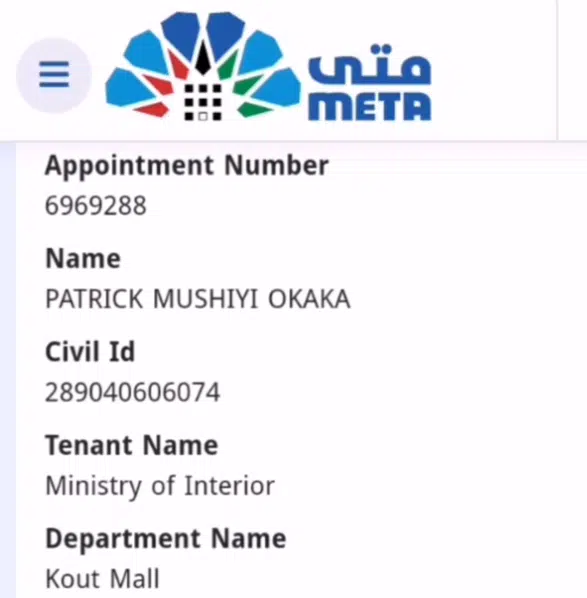
Once you have chosen the slot, make your reservation and keep the reference number.
How to Change Address in Meta Kuwait
- Log in to your Meta Kuwait account.
- Go to Profile or Account Settings.

- Find the Address or Residential Information section.

- Verify your address if requested (ID or documents).

- Click Save or Update to confirm changes.
How to Check Meta Kuwait Status
It is easy to monitor the status of your application:
- Use the website or Sahel App to log in to your Meta Kuwait account.
- Navigate to Status Check or My Applications.
- Enter your reference number should you be asked to do so.
- View real-time updates, including:
- Pending verification
- Approved
- Rejected (with reasons)

Status updates are normally posted through email or application alerts; therefore, make sure that your contacts are correct.
Common Errors and How to Solve Them
Meta Kuwait can cause problems even for experienced users. The following are the typical mistakes and resolutions:
1. Incorrect Information During Registration
Solution: Recheck your papers and resubmit. Make sure that all spellings and numbers are in agreement with official records.
2. Appointment Slots Full
Solution: Booking in the less busy period or by the Sahel App, which updates the availability in real-time.
3. OTP Not Received
Solution: Make sure that your phone number is right. Check your inbox and spam of your SMS. In case of problems, a new OTP is to be requested.
4. Status Showing “Pending” for Too Long
Solution: Contact Meta Kuwait through the site or the Sahel App. In some cases, verification has to be done manually.
5. Login Issues
Solution: Reset your password or clear your browser cache. Make sure that you are using the official site or the latest version of the Sahel App.
Tips for a Smooth Meta Kuwait Experience
- Use official channels only: Do not use third-party websites which purport to register Meta Kuwait.
- Keep documents ready: National ID, residency documents and information on the registration of business may save certain time.
- Monitor updates: Check your email and the app regularly for status changes.
- Book early: Reservations are made at a high speed, especially in high seasons.
- Take screenshots: Copy out confirmations, reference numbers and status updates in order to have them to hand in future.
Read Also: Is Your Kuwait Civil ID Ready? Check Status Online Now
Final Words
Navigating Meta Kuwait doesn’t have to be complicated. By following this guide, you can:
- Complete registration efficiently
- Book and manage appointments via the website or the Sahel App
- Check your status easily
- Find solutions to common mistakes without wasting time.
Meta Kuwait is created to simplify the operations of individuals and businesses, and to keep up with what is happening is to make the best out of it.